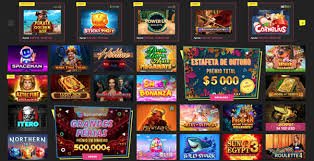
The full arionplay55 experience on your mobile device. No app store download required — open your browser, go to arionplay55.vu, and you're ready to play. Android, iOS, and any modern smartphone browser supported.
arionplay55 on Mobile — How It Works
Most Filipino players access online gaming through their phones. That's just the reality — whether you're in Quezon City during your lunch break, commuting in Manila, or relaxing at home in Cebu, your smartphone is usually within arm's reach. arionplay55 is built with that in mind.
The platform is designed as a progressive web app, which means you access it through your mobile browser the same way you'd visit any website — but the interface behaves like a native app. It adapts to your screen size, loads quickly, and lets you jump straight into games without having to navigate a full desktop layout on a small screen.
There's no installation required. You don't need to visit an app store, approve permissions, or wait for a download to complete. Open your browser, go to arionplay55.vu, and log in. That's it. The full game library — slots, live casino, sports betting, and more — is available immediately from your mobile browser on Android or iOS.
If you want quicker access next time, you can add arionplay55 to your phone's home screen through your browser's "Add to Home Screen" option. This creates a shortcut that opens the site directly without typing the address each time, and it launches in a clean full-screen view that feels very close to a native app.
Open arionplay55.vu in Chrome (Android) or Safari (iOS), log in, and start playing. For home screen access, use "Add to Home Screen" in your browser menu — it opens like a native app without an address bar.
arionplay55 uses OTP verification and SSL encryption on all mobile sessions. Your account credentials and PHP balance are protected the same way on mobile as on desktop.
All deposits, bets, and withdrawals through the mobile interface are processed in Philippine Peso. GCash and Maya are available as local e-wallet options alongside Philippine bank transfer.

What You Get with the arionplay55 Mobile Experience
Everything the platform offers, fully accessible from your phone.
The complete arionplay55 slot game collection is available on mobile. Games load directly in your browser without any plugin or additional software. Spin on Android or iPhone with the same gameplay and PHP betting as desktop.
Live dealer games — baccarat, blackjack, roulette, and game shows — stream in HD directly to your phone. The betting interface adapts to touch input so placing chips and confirming bets works naturally on a mobile screen.
Follow PBA, NBA, boxing, volleyball, esports, and international football matches and place bets from your phone in real time. The sports betting section on arionplay55 is fully touch-optimised for mobile screens.
Manage your PHP balance from the mobile interface. Deposit via bank transfer, GCash, Maya, or other supported local payment methods. Withdraw your winnings back to your Philippine bank account or e-wallet directly from your phone.
Update your profile, complete KYC verification, check your session history, set deposit limits, and manage responsible gaming settings — all accessible through the mobile interface on arionplay55 without needing a desktop.
Need help while playing on your phone? The arionplay55 support channel is accessible from the mobile interface. Reach out through the platform's support options without switching to a desktop to resolve account or payment queries.
How to Add arionplay55 to Your Home Screen
Adding arionplay55 to your phone's home screen gives you one-tap access without opening your browser and typing the address. Here's how to do it on Android and iOS.
Android (Chrome)
Launch Google Chrome on your Android phone and go to arionplay55.vu. Log in if you already have an account.
Tap the three-dot icon in the top-right corner of Chrome to open the browser menu.
Find "Add to Home Screen" in the menu and tap it. Confirm the name if prompted. The arionplay55 shortcut will appear on your home screen.
iPhone / iOS (Safari)
Use Safari on your iPhone and navigate to arionplay55.vu. Safari is recommended for the best iOS experience.
Tap the Share button at the bottom of the Safari toolbar — the square with an arrow pointing up.
Scroll through the share sheet and tap "Add to Home Screen". Confirm the name and tap Add. The arionplay55 icon will appear on your iPhone home screen.
Once added, the arionplay55 shortcut launches in a full-screen view without browser navigation bars — cleaner and faster than typing the URL each time. The experience is very close to a native app without the storage use or permissions that come with app store downloads. It also means you're always accessing the latest version automatically, with no manual updates required.
Mobile Security on arionplay55
Security on mobile deserves more than a passing mention. When you're accessing your arionplay55 account through a phone browser, you want to know that your login details, your PHP balance, and your personal information are protected properly.
arionplay55 uses SSL encryption on all pages, including the mobile site. This means the connection between your phone and the platform is encrypted — the same standard used by online banking and e-commerce platforms in the Philippines.
arionplay55 Mobile At a Glance
Key details about mobile access on arionplay55 for Filipino players.
| Feature | Details |
|---|---|
| Access Method | Mobile browser — no app store download or APK installation required |
| Supported Devices | Android smartphones and tablets, iPhone and iPad (iOS), desktop browsers |
| Recommended Browsers | Google Chrome (Android), Safari (iOS), any modern mobile browser |
| Home Screen Shortcut | "Add to Home Screen" available on Android (Chrome) and iOS (Safari) for one-tap access |
| Games Available on Mobile | Slots, live casino, sports betting, eBingo, and all other game categories on the platform |
| Currency | Philippine Peso (PHP / ₱) — all bets, deposits, and withdrawals in PHP |
| Mobile Payment Methods | GCash, Maya, Philippine bank transfer, and other supported local options |
| Security | SSL encryption, OTP login verification, session timeout, KYC verification |
| Account Features on Mobile | Full account management, KYC, deposit limits, session history, responsible gaming tools |
| Minimum Age | 21 years and above — verified account required for real-money play |
Mobile App FAQ
Common questions from Filipino players about using arionplay55 on mobile.